> ## Documentation Index
> Fetch the complete documentation index at: https://patterns.heurilens.com/llms.txt
> Use this file to discover all available pages before exploring further.
# Technical UX
> A measurable UX pattern where performance, reliability, and technical consistency directly influence user trust, confidence, and continuation.
## Technical UX is what users feel when systems respond
Users do not experience “architecture” or “infrastructure”.
They experience:
* waiting
* uncertainty
* repetition
* recovery
* reliability
Technical UX is the layer where system behavior becomes **perceived quality**.
When technical UX fails, users don’t say “the system is slow”. They say “this feels broken”.
## What breaks when technical UX fails
Technical UX failures are often invisible in isolation.
Users may still:
* complete tasks
* reach outcomes
* see correct data
Yet behavior changes:
* confidence drops
* patience shortens
* retries increase
* trust erodes
These are **perception failures**, not functional bugs.
 ## Observable behavior linked to technical UX issues
Technical UX friction appears as:
* repeated clicks or submissions
* refreshes after actions
* users waiting without feedback
* abandoning after delays
* reduced usage of critical features
These behaviors indicate users do not trust the system state.
## Where technical UX shapes perception most
Users judge speed subjectively.
Risk:
* delays without feedback
* inconsistent response times
Result:
* perceived slowness, even when average speed is acceptable
Users expect systems to remember.
Risk:
* lost progress
* unexpected resets
* unsaved changes
Result:
* fear of committing actions
Users assume systems can fail.
Risk:
* unclear failure states
* no recovery guidance
Result:
* users stop trusting outcomes
## Technical UX signals are measurable
Users do not report “technical UX”.
Heurilens observes:
* retries after successful actions
* hesitation following loading states
* exits after state transitions
* drop-offs correlated with latency
* abandonment after silent failures
When these signals cluster, a **Technical UX breakdown** is flagged.
## Technical causes vs user perception
The table below shows how technical issues translate into UX outcomes:
| Technical condition | User perception | UX impact |
| ---------------------------- | ------------------- | ---------------- |
| Inconsistent response time | “It feels slow” | Reduced trust |
| Silent background processing | “Did it work?” | Repeated actions |
| Partial state persistence | “I lost progress” | Abandonment |
| Non-blocking errors | “Something is off” | Confidence loss |
| Hard reload dependency | “I need to restart” | Flow breakdown |
Users react to perception, not metrics.
## How Heurilens evaluates technical UX
Heurilens evaluates whether system feedback matches user expectations during delays.
The system checks whether progress, selections, and inputs survive interruptions.
Heurilens assesses whether failures are communicated clearly and recoverably.
Technical signals are validated against real user behavior patterns.
## Example output from Heurilens
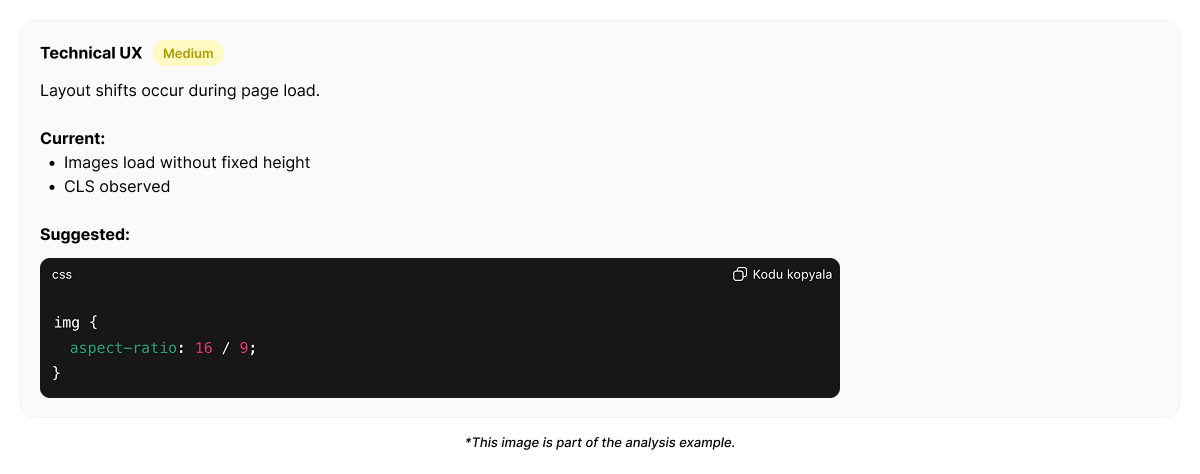
Users repeat actions and refresh pages after system responses.
Technical feedback does not clearly confirm state changes, reducing trust in outcomes.
## Example technical UX trace (simplified)
```json Technical UX signal theme={null}
{
"pattern": "Technical UX Breakdown",
"signals": [
"retry_after_success",
"refresh_after_submit",
"exit_after_loading"
],
"likely_causes": [
"silent async processing",
"inconsistent loading feedback",
"state not confirmed visually"
],
"impact": "trust erosion"
}
click("Save")
wait(3.8)
click("Save")
refresh()
exit()
```
Users trust systems that communicate clearly — not systems that are technically perfect.
## Why technical UX matters
Technical UX defines:
* whether users feel safe committing actions
* whether progress feels reliable
* whether performance feels predictable
Even small technical inconsistencies can outweigh strong visual or content design.
Trust is built at the technical layer.
## Related patterns
Feedback clarity bridges technical gaps.
Technical reliability sustains momentum.
Technical friction breaks conversion.
Technical debt becomes UX risk.
Run an analysis and see how technical behavior affects user trust.
## Observable behavior linked to technical UX issues
Technical UX friction appears as:
* repeated clicks or submissions
* refreshes after actions
* users waiting without feedback
* abandoning after delays
* reduced usage of critical features
These behaviors indicate users do not trust the system state.
## Where technical UX shapes perception most
Users judge speed subjectively.
Risk:
* delays without feedback
* inconsistent response times
Result:
* perceived slowness, even when average speed is acceptable
Users expect systems to remember.
Risk:
* lost progress
* unexpected resets
* unsaved changes
Result:
* fear of committing actions
Users assume systems can fail.
Risk:
* unclear failure states
* no recovery guidance
Result:
* users stop trusting outcomes
## Technical UX signals are measurable
Users do not report “technical UX”.
Heurilens observes:
* retries after successful actions
* hesitation following loading states
* exits after state transitions
* drop-offs correlated with latency
* abandonment after silent failures
When these signals cluster, a **Technical UX breakdown** is flagged.
## Technical causes vs user perception
The table below shows how technical issues translate into UX outcomes:
| Technical condition | User perception | UX impact |
| ---------------------------- | ------------------- | ---------------- |
| Inconsistent response time | “It feels slow” | Reduced trust |
| Silent background processing | “Did it work?” | Repeated actions |
| Partial state persistence | “I lost progress” | Abandonment |
| Non-blocking errors | “Something is off” | Confidence loss |
| Hard reload dependency | “I need to restart” | Flow breakdown |
Users react to perception, not metrics.
## How Heurilens evaluates technical UX
Heurilens evaluates whether system feedback matches user expectations during delays.
The system checks whether progress, selections, and inputs survive interruptions.
Heurilens assesses whether failures are communicated clearly and recoverably.
Technical signals are validated against real user behavior patterns.
## Example output from Heurilens
Users repeat actions and refresh pages after system responses.
Technical feedback does not clearly confirm state changes, reducing trust in outcomes.
## Example technical UX trace (simplified)
```json Technical UX signal theme={null}
{
"pattern": "Technical UX Breakdown",
"signals": [
"retry_after_success",
"refresh_after_submit",
"exit_after_loading"
],
"likely_causes": [
"silent async processing",
"inconsistent loading feedback",
"state not confirmed visually"
],
"impact": "trust erosion"
}
click("Save")
wait(3.8)
click("Save")
refresh()
exit()
```
Users trust systems that communicate clearly — not systems that are technically perfect.
## Why technical UX matters
Technical UX defines:
* whether users feel safe committing actions
* whether progress feels reliable
* whether performance feels predictable
Even small technical inconsistencies can outweigh strong visual or content design.
Trust is built at the technical layer.
## Related patterns
Feedback clarity bridges technical gaps.
Technical reliability sustains momentum.
Technical friction breaks conversion.
Technical debt becomes UX risk.
Run an analysis and see how technical behavior affects user trust.